

Step 1
Open the AddOn from NinjaTrader
Access the AddOn directly from the NinjaTrader menu. Once opened, you can work from a dedicated window to prepare Market Replay data.
AT Market Replay Data Pro is a NinjaTrader 8 AddOn designed to simplify Market Replay data preparation when working with multiple markets, contracts and date ranges.
Enter the markets, select the date range, check the queue and manage the process from a dedicated interface inside NinjaTrader.
A tool focused on Market Replay data preparation and management. It does not place trades and does not generate trading signals.
Designed to work inside the NinjaTrader 8 environment.
Validated on NinjaTrader 8.1.6.3 as the main reference version.
Installed through an official ZIP file importable into NinjaTrader.
The interface automatically follows the language configured in NinjaTrader.
Focused on practice, session review, training and visual validation.
Useful for preparing test sessions in indicator, AddOn or strategy development.
When working with Playback / Market Replay in NinjaTrader, preparing multiple days, contracts or markets can take time before the actual analysis, practice or session review even begins.
The process can become especially inconvenient when you need to review multiple days, prepare training sessions, validate indicators, work with different contracts or create educational material.
Reduce that friction and turn data preparation into a clearer, more organized and repeatable workflow.
AT Market Replay Data Pro is not only about saving clicks. Its core value is helping users build a more professional workflow around Market Replay data: data prepared to reproduce sessions with greater operational fidelity inside NinjaTrader.
When developing indicators, reviewing signals, preparing training sessions or validating a Playback workflow, historical data and Replay data are not equivalent. The sequence, timing, session context and way the market is reproduced can materially change how a result is interpreted.
Historical data can be useful for many tasks, but professional work on execution, visual validation, practice or intraday behaviour needs a data base that is as close as possible to the session being reproduced.
It does not guarantee trading results or unlimited data availability. It helps prepare a more rigorous analysis base when the goal is market reproduction, not just consulting historical data.
Actual download time depends on servers, connection quality and Market Replay availability. This table compares the user's active time: selecting dates, instruments, confirming, checking and repeating the process.
| Scenario | Individual downloads | Estimated manual process | With AT Market Replay Data Pro | Practical reading |
|---|---|---|---|---|
| 1 market · 1 day | 1 | 1.5–3 min | 1–2 min | Small difference, but the workflow is already centralized. |
| 2 markets · 1 day | 2 | 3–6 min | 1–2 min | Reduces repeated fields and checks. |
| 3 markets · 1 day | 3 | 4.5–9 min | 1–2 min | Useful for preparing multiple sessions or contracts. |
| 1 market · 3 days | 3 | 4.5–9 min | 1–2 min | The date range avoids repeating the process day by day. |
| 3 markets · 3 days | 9 | 13.5–27 min | 1–3 min | Clear time saving for practice, training and validation. |
| 3 markets · 1 market week | 15 | 22.5–45 min | 1–3 min | The user moves from repetitive work to queue review. |
| 3 markets · approx. 1 month | 60 | 90–180 min | 2–5 min | The difference can represent hours of active work saved. |
Conservative estimate based on 1.5–3 minutes of manual intervention per individual download. Transfer time may still exist, but it no longer requires the same repetitive user intervention.
Simplified visual comparison between repetitive manual work and the centralized AddOn workflow.
The user stops repeating date, instrument and confirmation steps.
The queue, progress display and status make the process easier to supervise.
The value is active time saved and a cleaner workflow.
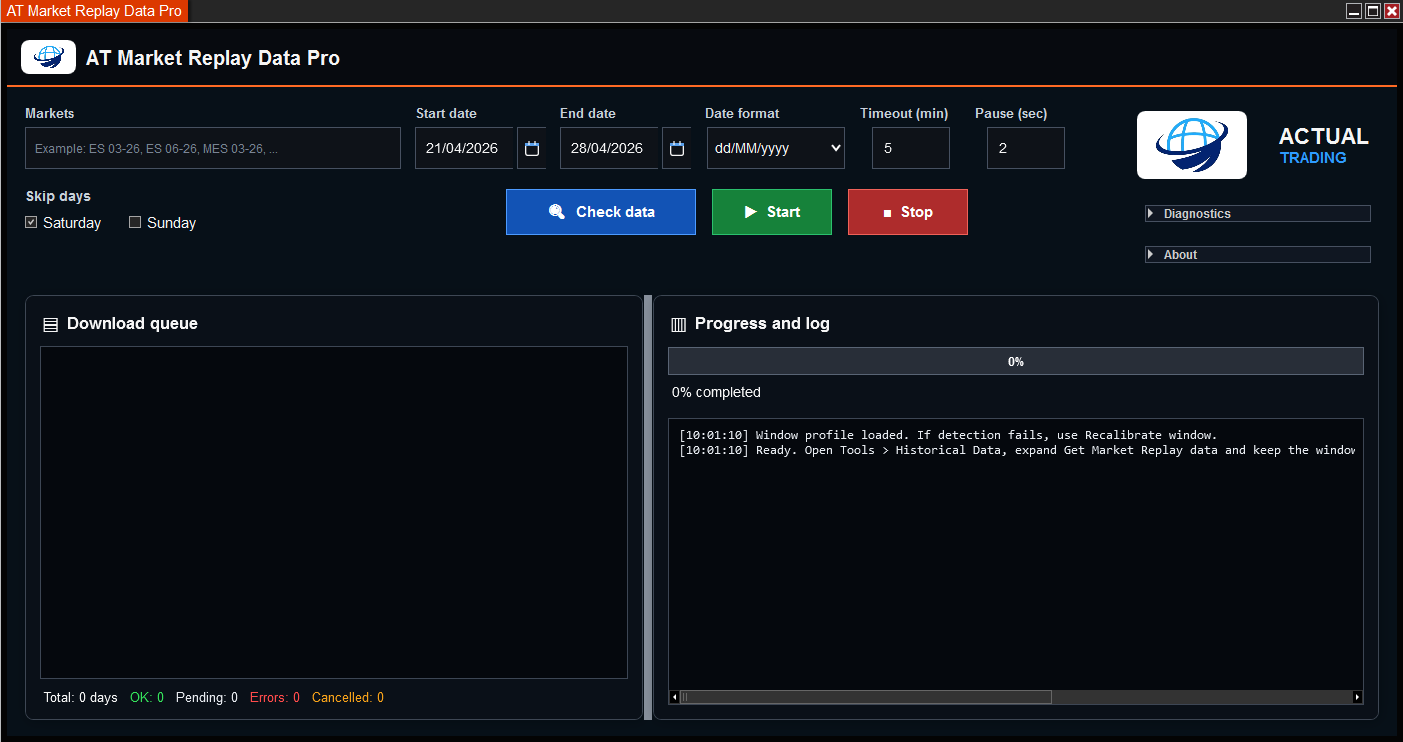
AT Market Replay Data Pro centralizes the essential options for preparing and running NinjaTrader Market Replay downloads in a single window. You select the date range, enter one or several markets/instruments and the AddOn prepares the queue so the process can run in an automatic, repeatable way.
Access the AddOn directly from the NinjaTrader menu. Once opened, you can work from a dedicated window to prepare Market Replay data.
The main window brings markets, dates, date format, timeouts, skipped days, process control, download queue, progress and technical log together in one place.
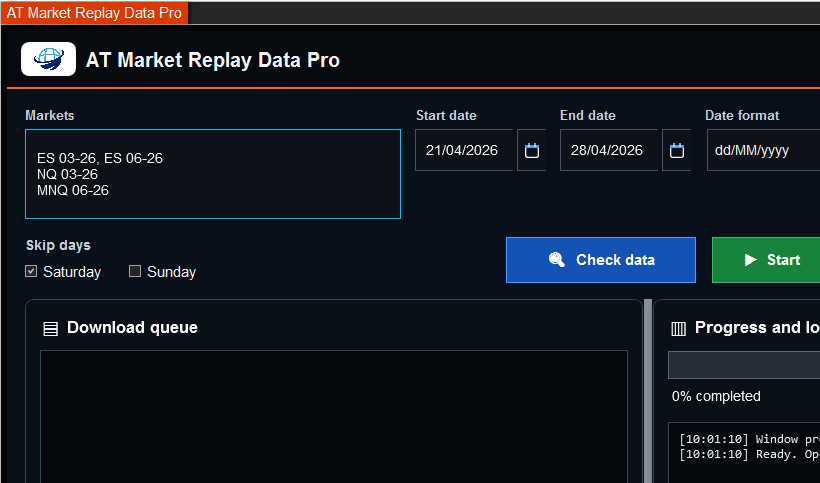
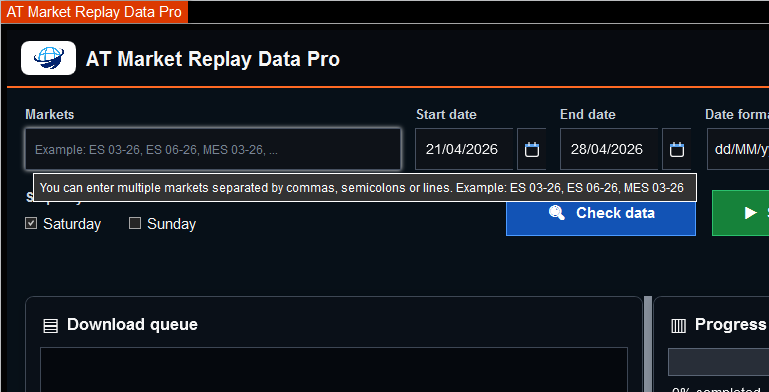
You can enter one or multiple markets in the Markets field. The AddOn accepts input separated by commas, semicolons or line breaks.
ES 06-26, MES 06-26
NQ 06-26
MNQ 06-26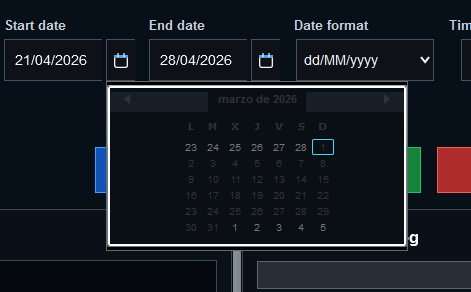
Define the start date and end date. The integrated calendar allows visual date selection and helps review the range before preparing the queue.
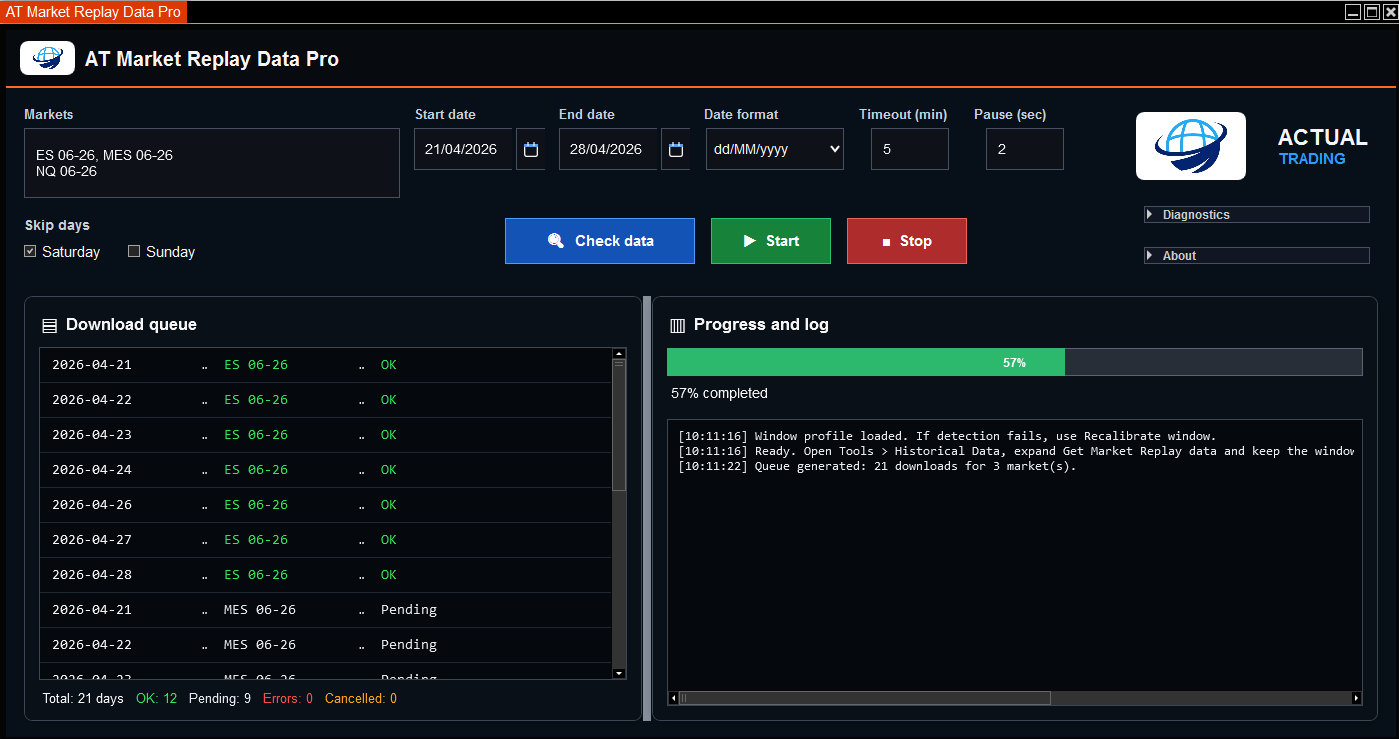
Before starting the process, click Check data so the AddOn automatically generates the work queue according to the selected date range and instruments. This lets you review pending items before running the download.

The process starts with Start. From that point, the AddOn runs the download queue automatically and can be stopped with Stop in a controlled way. Data already downloaded correctly is preserved.
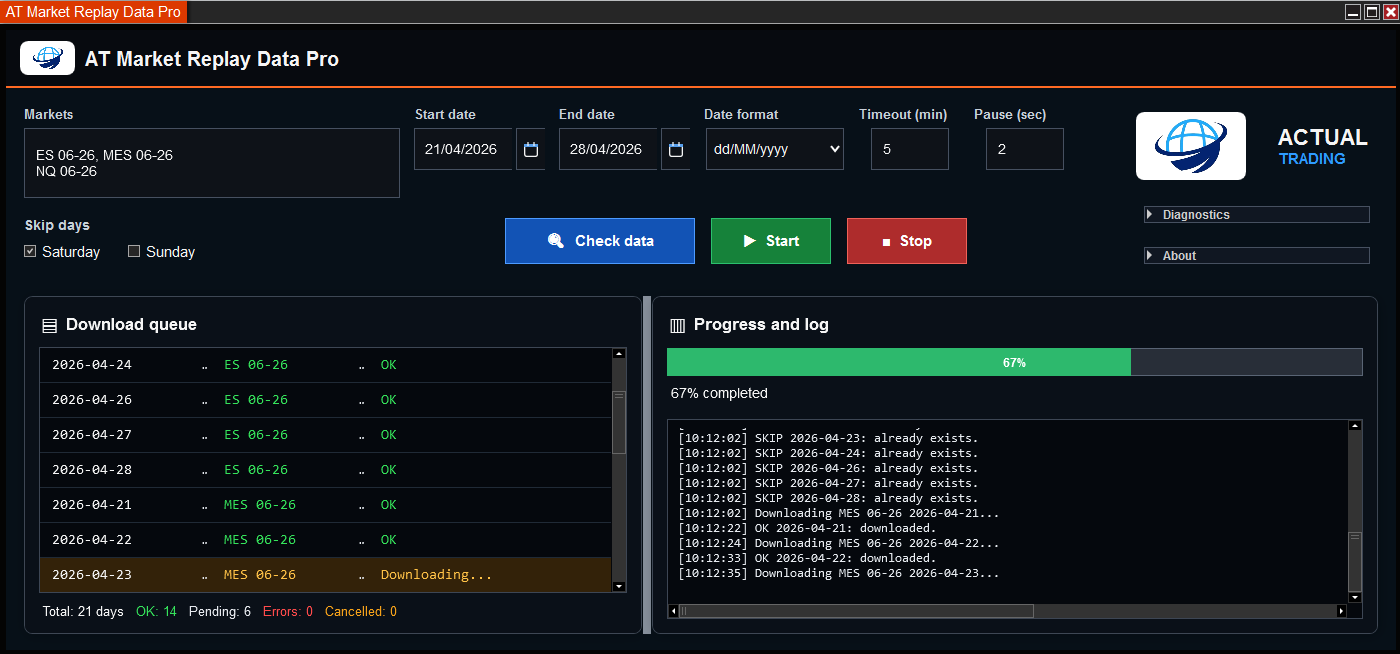
Check the progress percentage, the status of each queue item and the technical log to understand the current state of the process.
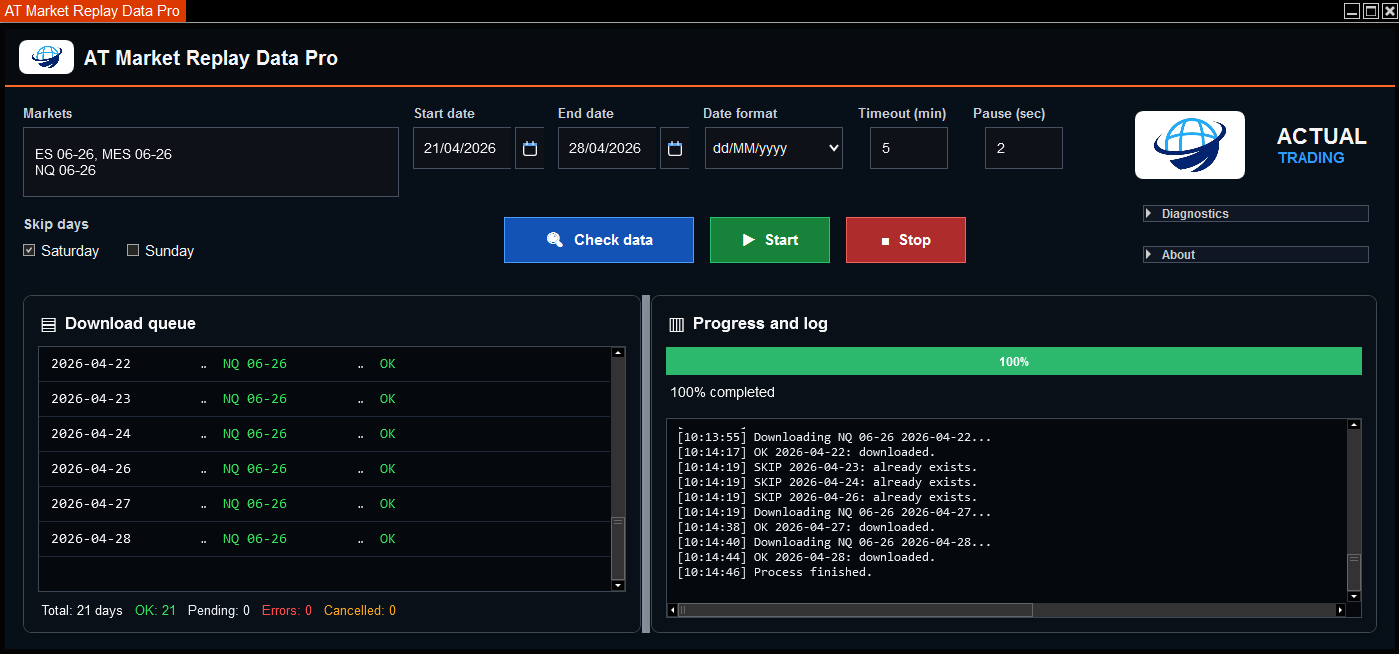
When the process finishes correctly, the queue shows the completed items and progress reaches 100%.
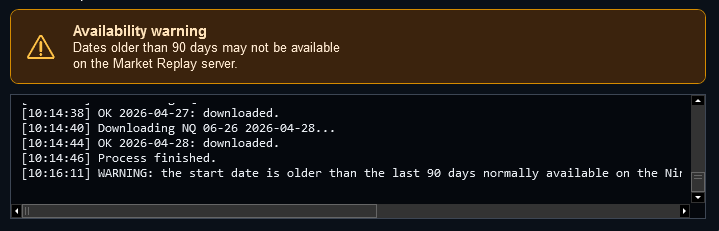
If the selected date may be outside the usual Market Replay availability range, the AddOn displays an informational warning.
Prepare replay practice sessions with real market data and repeat scenarios without depending on the live market.
Simplify data preparation when reviewing indicators, AddOns or strategies in repeatable sessions.
Prepare specific sessions for students, market reviews or practical exercises.
Organize relevant days to study price behavior, volatility, key areas or market events.
Prepare Replay sessions for videos, analysis, tutorials or tool demonstrations.
Maintain a clearer and more repeatable preparation methodology for Replay workflows.
You can watch the video, read the user manual and review real AddOn screenshots before requesting information.
There is currently no demo version or trial period available. If you need to confirm installation, usage, plans or compatibility, contact Actual Trading before requesting access.
These visuals summarize the product approach: market and date selection, data checking, download queue, visual states, progress and technical log.
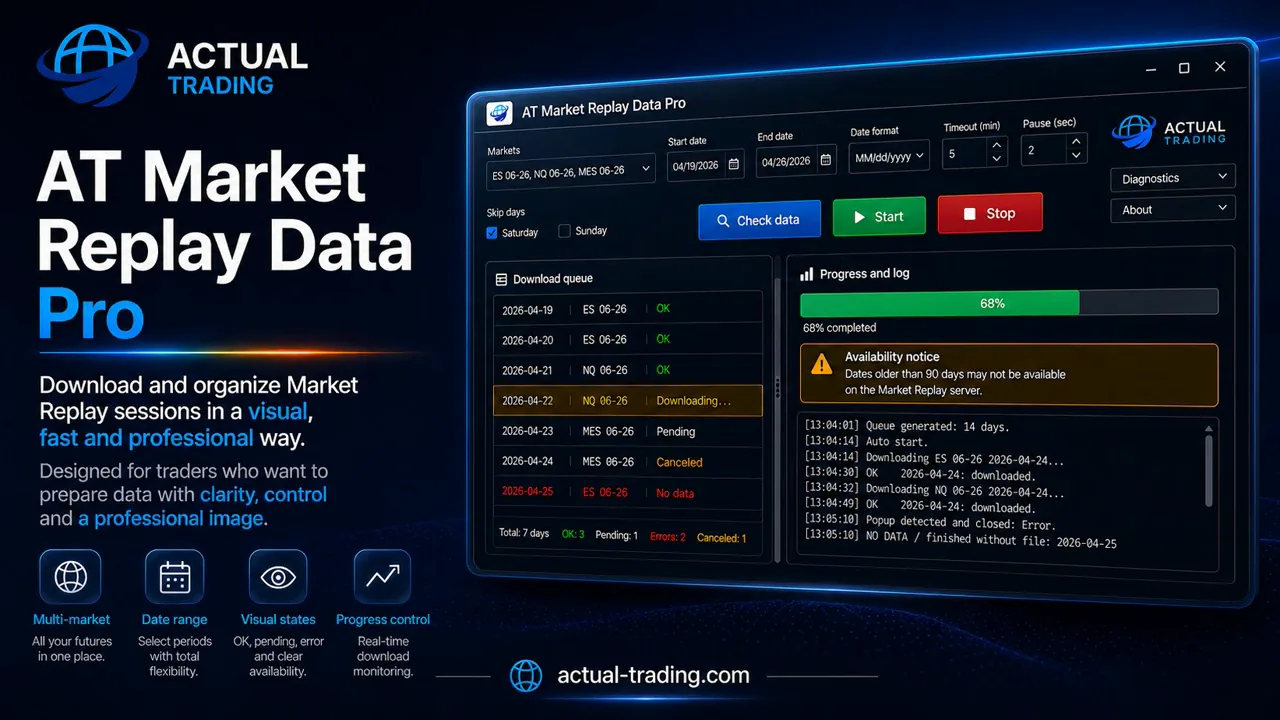
General product view and value proposition.
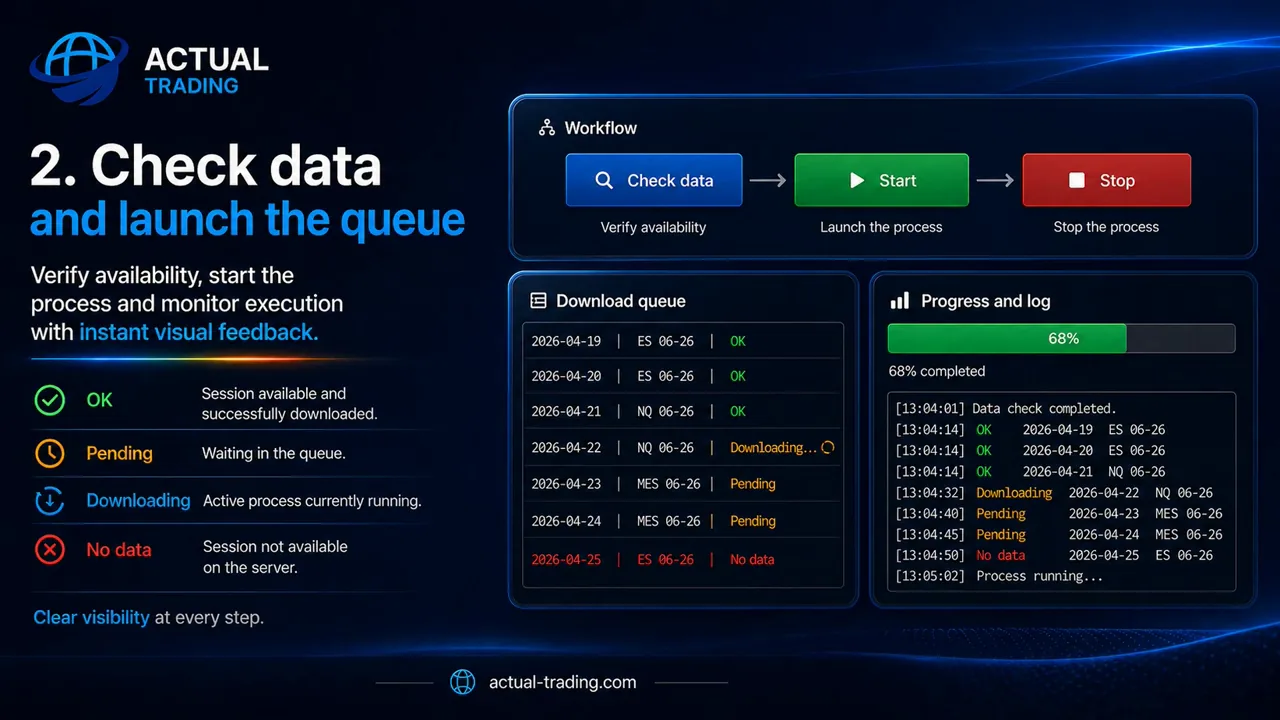
Workflow, queue, progress and interface organization.
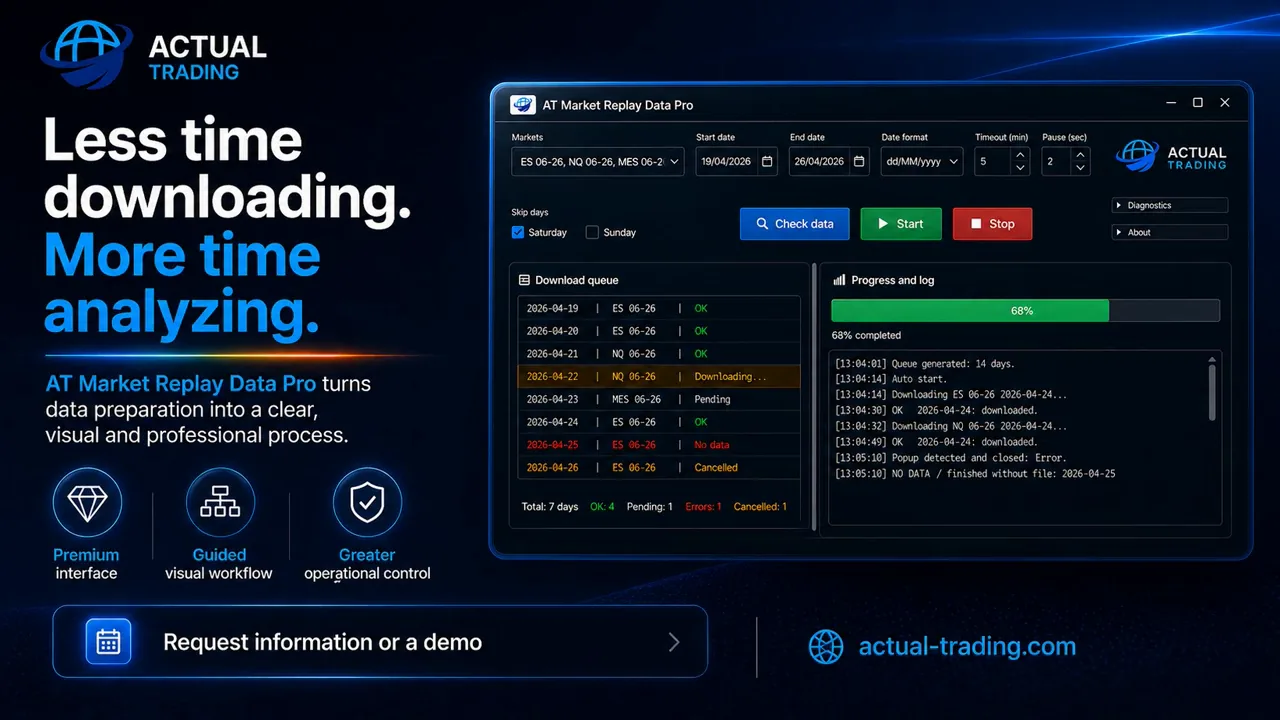
Initial setup for markets, dates and basic download parameters.
Monthly option subject to confirmation
Flexible option for occasional use. It may not be available during all commercial periods.
Recommended quarterly plan
Main plan for users who prepare Market Replay data on a regular basis.
Request informationAnnual plan for continued use
For advanced users who work with Replay throughout the year.
* The monthly option may not be available during certain commercial periods. In that case, the minimum access option will be the quarterly Replay 90D plan.
The plans shown correspond to the initial AT Market Replay Data Pro V1 release. Minor maintenance updates within the same major version may be included for users with active access.
Higher versions with new features may use different plans or require a paid upgrade. Active users of previous versions may receive preferred upgrade conditions.
No. The AddOn does not place trades, generate trading signals, or make decisions for the user. It is designed to prepare and manage Market Replay data.
Yes. You can enter multiple markets separated by commas, semicolons or line breaks.
Yes. Stop interrupts the process in a controlled way, and Start allows you to start or resume it. Data already downloaded correctly is preserved.
No. Availability depends on NinjaTrader and its Market Replay servers. The AddOn helps prepare and control the process, but it cannot create data that is not available on the server.
It is available in English and Spanish. The interface automatically follows the language configured in NinjaTrader.
It is installed through an official ZIP file importable into NinjaTrader. Source code is not delivered to the end user.
The validated version is NinjaTrader 8.1.6.3. It may work on other NinjaTrader 8 versions if compatibility is maintained, but this should be verified case by case.
Requests are handled by direct contact with Actual Trading. Before access is formalized, conditions, billing details and payment method are confirmed in writing.
There is currently no demo version or trial period available. To clarify any point before requesting access, you can review the manual, watch the video and contact Actual Trading.
Yes. Website prices are indicative and may change. The valid price will be the one confirmed by Actual Trading before access is formalized.
If you use NinjaTrader Playback / Market Replay for practice, session review, training or development, AT Market Replay Data Pro can help reduce repetitive tasks and improve your workflow.
To request availability, conditions or product access, contact Actual Trading. The process is handled directly with Actual Trading.
NinjaTrader® is a registered trademark of its respective owners. AT Market Replay Data Pro is a product developed by Actual Trading and does not imply affiliation, approval or sponsorship by NinjaTrader unless expressly stated through the corresponding official channels.